What Is an eSIM? A Traveller's Guide for 2026
How the embedded SIM works, and why it has replaced roaming for smart travellers
What is an eSIM? How the built-in SIM works, whether your phone supports it, how to install a travel eSIM, and what it cannot do.
By NorwegianSpark Editorial — written with AI assistance and reviewed by the NorwegianSpark SA editorial team.
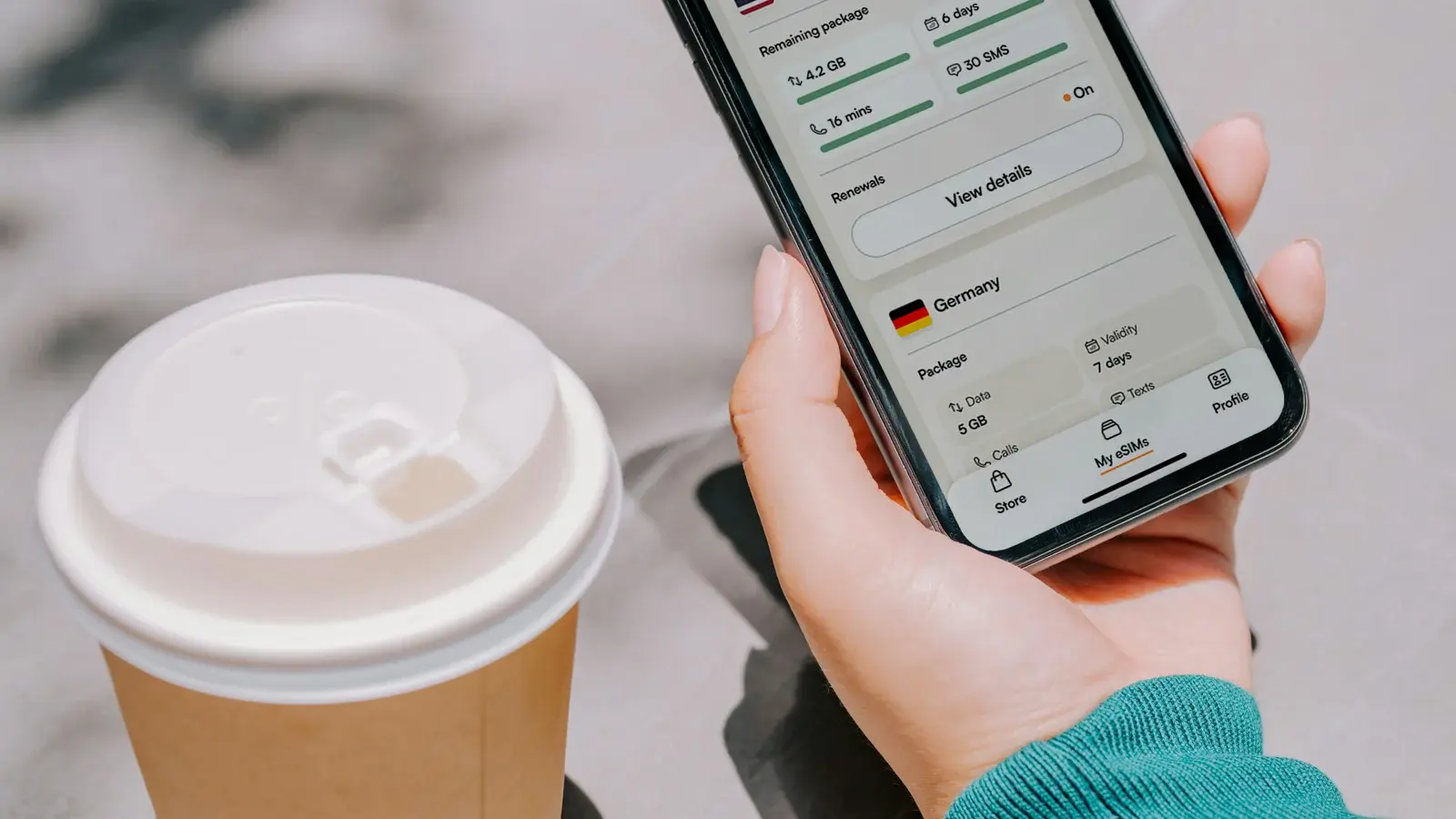
An eSIM (embedded SIM) is a SIM card built directly into your phone instead of a plastic chip you slide into a tray. Because it is software rather than hardware, a mobile provider can send you a plan and you can install it in minutes — no card to post, no tray to open, no paperclip required. For travellers, that is transformative: you can buy a data plan for your destination before you leave home and switch it on the moment you land.
How an eSIM works
Your phone stores the eSIM "profile" digitally. When you buy a travel plan, the provider gives you a QR code or activates it through their app; your phone downloads the profile and it appears as another line in your settings, right next to your normal SIM. You then choose which line handles calls, texts and data. Most modern phones support several eSIM profiles at once, so you can keep your home line active for messages while your travel eSIM carries data abroad — the setup we recommend for almost everyone.
eSIM vs a physical SIM
- No swapping: you keep your home SIM in place, so you never lose your own number or risk misplacing a tiny card in a hotel room.
- Instant: buy and install online in minutes, versus finding a shop and queuing abroad.
- Dual use: run your home line and a travel data plan at the same time.
- The catch: your phone must support eSIM and be carrier-unlocked — see the compatibility note below.
Partner
Undercover Tourist
Does your phone support eSIM?
Most flagship phones from roughly the last five or six years do — recent iPhones, Google Pixels, and many Samsung Galaxy and other Android models. The quickest check is in your phone's settings: look for an option to "Add eSIM" or "Add data plan" under mobile/cellular settings. Your phone also needs to be carrier-unlocked (not tied to a single network). If both are true, you are ready. Providers like Airalo also publish device-compatibility lists you can check before buying.
How to install a travel eSIM
- Buy a plan for your destination from a travel-eSIM provider (do this before you fly, on your home connection).
- Install the eSIM when prompted — usually by scanning a QR code or tapping "install" in the provider's app.
- Label the line (e.g. "Travel") so it is easy to find in settings.
- On arrival, turn the travel eSIM's data on, turn data roaming on for that line, and set your home line to "data off" so you are not billed.
Partner
Airalo
The broadest travel-eSIM marketplace — pick a country, install in minutes, and land connected.
The two settings that decide whether it works
Almost every "my eSIM is not working" story comes down to configuration rather than to the plan, and the same two settings are responsible most of the time. The first is data roaming, which has to be enabled on the travel line specifically. This feels wrong — you bought a plan for the country you are standing in — but from the host network's point of view you are a visitor, and the phone will refuse to move data until roaming is permitted on that line. The setting is per line, so enabling it on your home line does nothing for the eSIM.
The second is which line is selected for mobile data. Installing a profile does not make it the active data line; it simply adds it. Set the travel eSIM as the data line, and switch data roaming off on your home line so it cannot quietly bill you in the background. On phones that offer an automatic data-switching option — a feature that lets one line borrow the other when signal is poor — consider turning it off while travelling, because the whole point of that feature is to use your home line without asking, which abroad is the expensive outcome.
A profile normally installs once
This is the mechanical detail that surprises people most, and the one most worth remembering. An eSIM profile is generally a single-use download: once it has been installed on a handset, the activation code is spent. Deleting the profile from your settings to tidy them up therefore tends to destroy it rather than park it, and reinstalling usually means asking the provider to reissue — which they may or may not do, and certainly cannot do quickly while you are standing on a station platform.
Three habits follow. Do not delete a profile until the trip is over and the allowance is spent. Keep the activation details, or a screenshot of the code, somewhere reachable without data. And remember that the profile lives on the handset rather than in your account, so changing phones mid-trip, or a factory reset, takes the eSIM with it. Some phones offer a transfer mechanism between devices, but it is not universal and it is not something to discover you need at the airport.
How much data will you actually use?
Rather than trusting a published average, look at your own figures: both iOS and Android record mobile data usage per period in the settings, and a normal week at home is a far better predictor of your travelling week than anybody's estimate. Then adjust for the trip. Maps, messaging, translation and ride-hailing are modest. Video, video calls and uploading photographs are not, and they are the reason allowances vanish faster abroad. Downloading offline maps and anything you plan to watch while on hotel wi-fi removes most of the risk, and starting with a smaller plan is sensible when topping up mid-trip is a two-minute job.
What an eSIM does not do
A travel eSIM sells data, not a phone line. It does not give you a local number, it cannot receive an ordinary text message, and it will not take an incoming call from a restaurant, a driver or a courier. Everything that runs over the internet works exactly as normal — messaging apps, internet calls, email, maps — which is why most travellers never notice the distinction. The one place it bites is one-time security codes sent by text, which will continue to arrive on your home number. Keep that line able to receive texts, or move the account to an authenticator app before you go. Being locked out of your own bank abroad is a common and entirely avoidable failure.
If something goes wrong, in order
- Is the travel line switched on at all, and does the phone show it as active?
- Is data roaming enabled on that specific line?
- Is that line selected as the line for mobile data?
- Is an automatic data-switching setting quietly falling back to your home line?
- If there is signal but nothing loads, does the provider require an access point name to be entered manually?
- Has the plan's validity period already started, or already expired?
Working through that list resolves the overwhelming majority of problems, and where it does not, you can describe to support exactly what you have already ruled out — which is a far faster conversation than starting from nothing.
Which provider should you use?
Once you understand eSIMs, choosing one is straightforward. For most travellers we recommend Airalo for coverage and value, or Yesim for more flexible plan formats — the full comparison is in the best travel eSIMs in 2026 and the head-to-head Airalo vs Yesim. Whichever you pick, install before you fly and you will step off the plane already online.
Continue Reading
More from the Journal





Continue in this collection

Travel Planning
Budgeting, insurance and concierge services, judged on what they do when a trip goes wrong.

Travel Guides
Destination guides written to be used on the ground: where to stay, eat, and what to skip.

5-Star Hotels
What actually earns the fifth star, and which properties are coasting on one they were given years ago.